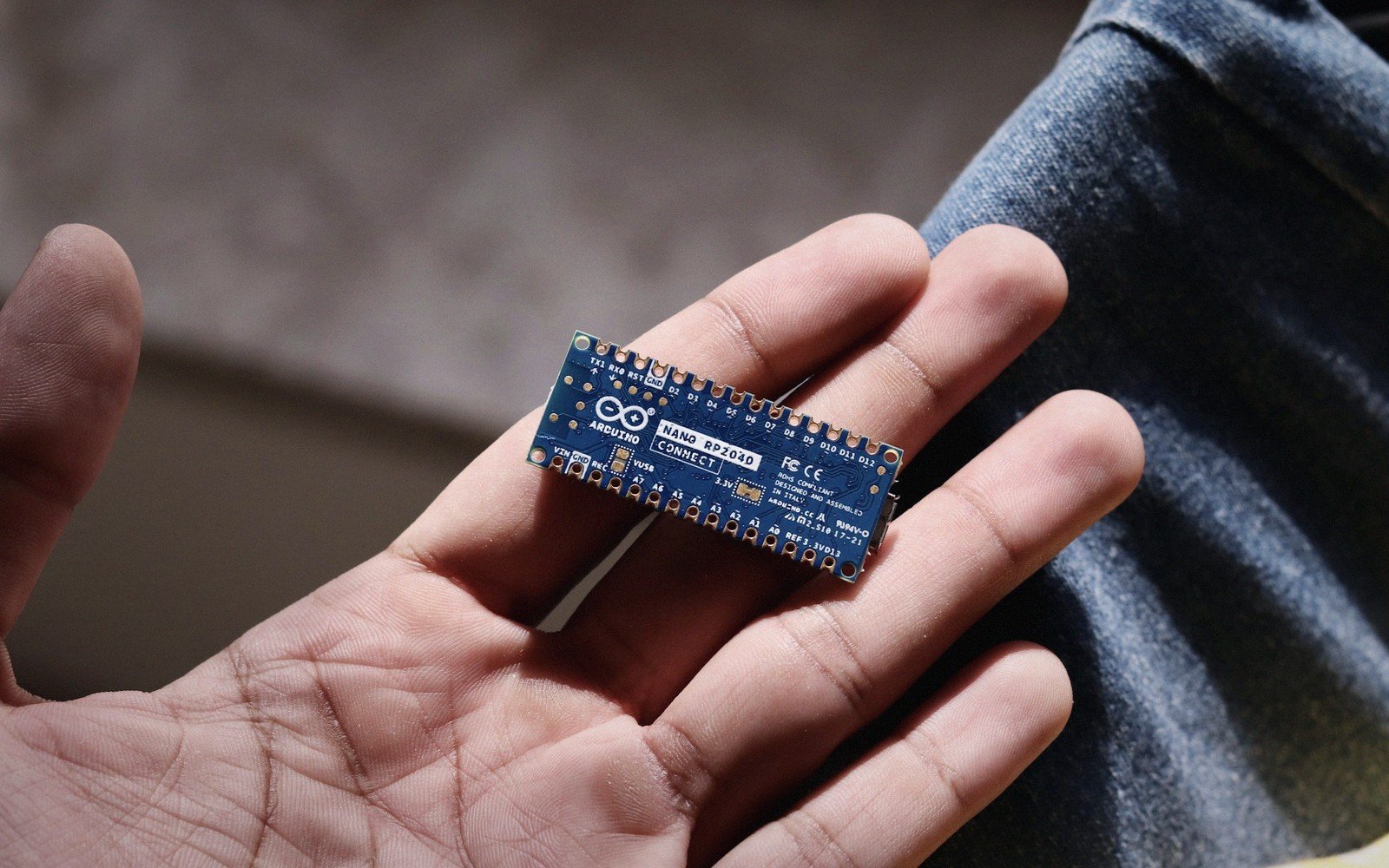
A processor, its memory and a pile of peripherals — sold as a single part you solder to a board.[1]
§ 01The Computer You Never Had to Wire Together
Every engineer who first studied computers learned about buses: a CPU on one chip, RAM on another, a ROM somewhere else, a timer circuit over there, and miles of parallel traces tying them together. That architecture is real and still exists in desktops and servers. A microcontroller takes the same idea and collapses it into one package — one piece of silicon, one set of pins, one part on the bill of materials. The CPU, the program memory, the working RAM, the timers, the serial interfaces, the analogue-to-digital converter: all of it is already connected on the die before you buy it.
 Enlarge ⤢
That compression is the entire point. You do not configure a memory bus or choose how many wait states your flash needs. You do not route dozens of address lines across your PCB. The manufacturer handled all of that in silicon, and you inherit the result. What you supply is power, ground, a clock source if the internal oscillator is not good enough for your application, and enough decoupling capacitance to keep the supply rails clean under switching loads. The microcontroller does the rest.
The trade-off is inflexibility: you cannot swap in faster RAM or a different flash technology after the fact, and the peripheral mix is fixed for a given part. But for the vast majority of embedded work — sensor reading, motor control, protocol bridging, user interface, data logging — the built-in set is more than enough, and the simplicity of having it all pre-integrated is a genuine engineering advantage.[2]
§ 02Anatomy of the Chip
Pull apart any microcontroller datasheet and the same building blocks appear, even if their proportions and speeds vary widely.
The CPU core. This is the engine that fetches instructions, decodes them and executes them. Most microcontrollers in production today use one of a small number of CPU architectures. Arm's Cortex-M series dominates the 32-bit space — the Cortex-M0+ at the frugal end, the Cortex-M4 and M7 with DSP instructions and optional floating-point hardware towards the performance end. Older 8-bit families — Microchip's PIC, Atmel's AVR (now also Microchip), the 8051 and its descendants — are still manufactured and still designed in where code size and cost pressure are severe. The architecture determines the instruction set the compiler targets; it also determines how interrupts are handled, how fast the core can wake from sleep, and how debuggers attach to the device.
Program memory. The microcontroller stores your firmware in on-chip non-volatile memory, almost universally flash in modern devices. Flash is electrically erasable in bulk and re-programmable in the field, which is why firmware updates are practical. The size you choose matters: you cannot add more after the fact. Devices range from a few kilobytes for the smallest 8-bit parts to several megabytes for high-end 32-bit controllers. Some families supplement flash with a small region of one-time-programmable (OTP) memory for calibration constants or device identifiers that should never change.
SRAM. Program memory holds the code; SRAM holds the data the code works with — variables, the call stack, buffers for incoming packets, the current reading from a sensor. SRAM is fast, volatile, and typically far smaller than the flash: a part with 256 KB of flash might have 32 KB or 64 KB of SRAM. Running out of stack is one of the commonest causes of mysterious crashes in embedded systems, because the overflow silently corrupts adjacent memory rather than throwing an obvious error. A smaller number of microcontrollers also integrate EEPROM for byte-granular non-volatile storage — calibration offsets, user settings, anything that must survive a power cycle but changes at runtime.
The bus fabric. On the die, all these blocks connect through an internal bus hierarchy. A common arrangement puts high-speed peripherals — DMA controllers, high-bandwidth timers — on a fast bus directly off the CPU, while lower-speed peripherals share a slower bridge. You never see the wiring; you interact with it through memory-mapped registers. Every peripheral exposes a set of addresses in the CPU's address space; reading or writing those addresses configures the peripheral and transfers data.
Peripherals. This is where the real breadth lies. A representative 32-bit microcontroller might include: multiple hardware timers capable of generating PWM or capturing pulse widths; one or more SPI controllers; one or more I²C controllers; one or more UART/USART blocks for serial communication; a 12-bit ADC with several multiplexed input channels; a comparator; a DMA controller that moves data between memory and peripherals without CPU involvement; a watchdog timer that resets the chip if software stops servicing it; a real-time clock; and sometimes a USB peripheral, a CAN controller, an Ethernet MAC, or a cryptographic accelerator. Each of these would once have been a separate chip. Now they share a die, sharing silicon real estate and power rails.
Pins. Every one of those internal peripherals needs a connection to the outside world, and the package has a finite number of pins. The solution is pin multiplexing: most pins can be assigned to several different functions, chosen at configuration time in software. A pin might serve as a GPIO, or as the SPI clock, or as a timer capture input, depending on how you configure its alternate-function register. The physical constraint of the package is often the binding design limit — a device with rich peripherals may still require you to choose among them because you cannot use them all simultaneously.
§ 03The CPU Core Is Only One Ingredient
It is tempting, especially with Arm-branded cores, to treat the architecture as the whole story. It is not. Arm licenses the Cortex-M IP to dozens of silicon vendors — STMicroelectronics, NXP, Nordic Semiconductor, Renesas, Infineon, Texas Instruments and many others — each of whom wraps the same core in a completely different peripheral set, memory configuration, package lineup and power architecture. Two Cortex-M4 devices from different vendors will run the same binary only if that binary is carefully written to be portable; peripheral register addresses are vendor-specific, and start-up code is different for every device family.
This matters practically. When you pick a microcontroller, you are picking a peripheral mix, a development ecosystem, a supply chain relationship, and a power architecture — all of which sit around a CPU core that may look identical to the one in a competitor's part. The architecture tells you how to write the arithmetic and control flow. The vendor's reference manual tells you everything else.
§ 04From Power-Up to Running Code
When you apply power, a microcontroller does not immediately run your code. The supply must ramp to within the device's operating range; an internal power-on reset circuit holds the CPU in reset until that threshold is passed. If an external crystal or resonator is in use, a startup timer waits for oscillation to stabilize. Only then does the CPU release from reset, fetch the reset vector from a fixed address in flash, and begin executing. That entire sequence happens in hardware, automatically, before the first line of your code runs.
From that point, the firmware journey is yours to own: your startup code initialises the stack pointer, clears the BSS segment, copies initialised variables from flash to RAM, and eventually calls your main function. Peripherals need to be clocked before their registers become accessible. Pins need to be configured. Clock trees may need to be reconfigured if the default internal oscillator speed is not suitable. A surprising fraction of early bring-up failures trace back to these first milliseconds, before the code that looks interesting has even started.
§ 05Why This Architecture Matters at the Bench
Understanding the internal topology of a microcontroller turns debugging from guesswork into diagnosis. When a peripheral does not respond, you check whether its clock gate is enabled. When DMA transfers corrupt memory, you check alignment and transfer width. When the device resets unexpectedly, you interrogate the reset-cause register, which most modern microcontrollers populate on every reset with a code identifying the source — power-on, watchdog, software, brown-out. When current consumption is higher than expected, you check which peripheral clocks are running and which sleep mode the CPU entered.
None of this requires exotic equipment. It requires knowing that the chip is a system, not a black box — that there are clock gates, bus bridges, power domains, memory regions and peripheral registers, all mapped to addresses, all readable if you know where to look. The datasheet is the map. The microcontroller is a complete, self-contained computer; your job at the bench is learning its geography.
An independent explainer on chips, programming and embedded systems. Not a manufacturer, distributor or reseller.